

Added
Userback Mobile SDK: Collect Feedback from Native iOS and Android Apps
April 1st, 2026
The Userback Mobile SDK lets your iOS and Android users submit feedback directly from your app, and brings it straight into your existing Userback workflow alongside your web feedback.
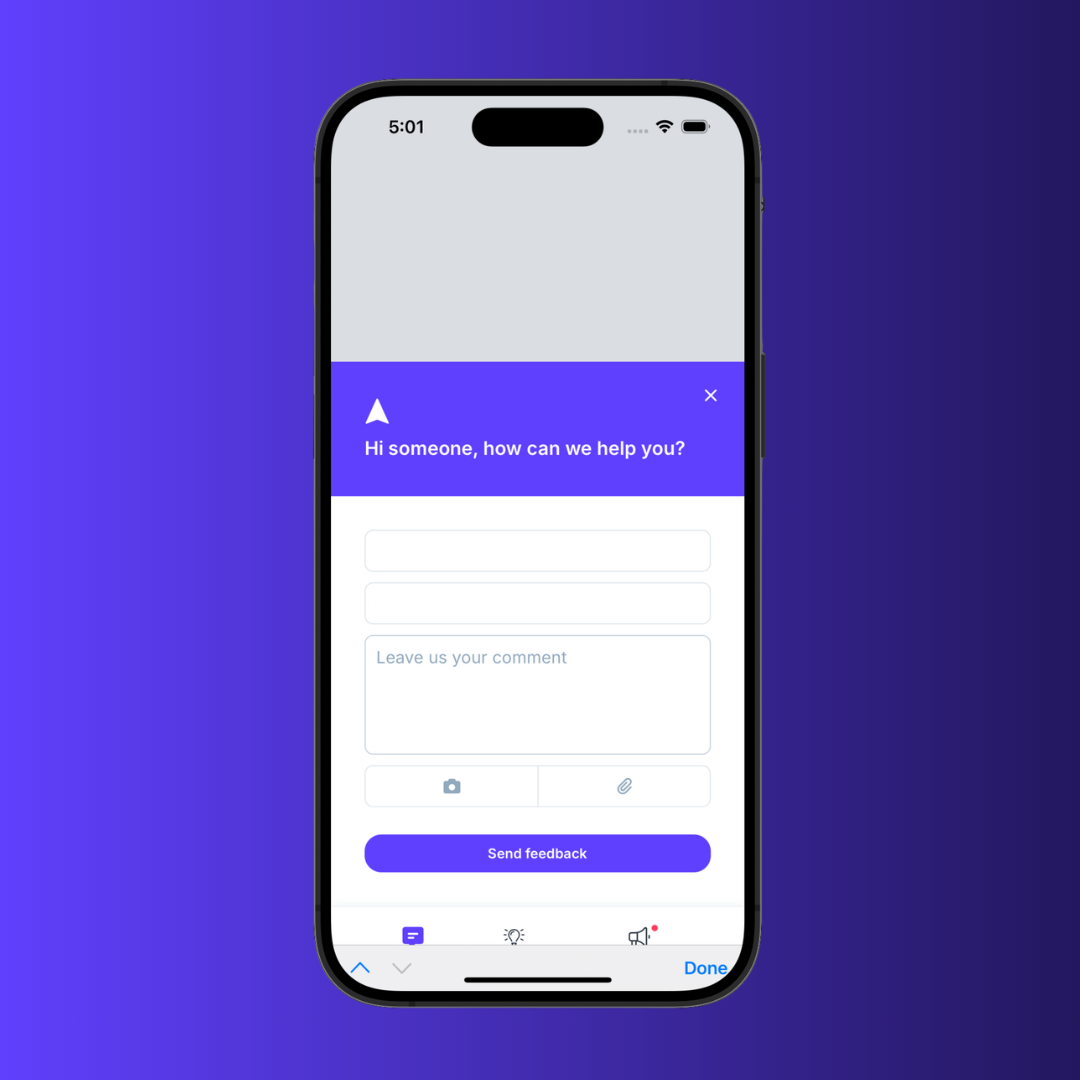
Key Features
- All your feedback, in one place: Mobile users can report bugs, submit ideas, and share feedback without leaving your app and it all flows straight into your existing Userback project alongside your web feedback.
- Full context on every mobile report: Every submission automatically captures a screenshot, console logs, and network requests. Your developers get everything they need to reproduce and fix the issue without a single follow-up.
- Know who's telling you what: Link mobile feedback to real user profiles, filter by plan, account, or user to understand whether issues are affecting your most important customers.
- Your portal, roadmap, and announcements in-app: Users can submit ideas, vote on features, and stay up to date with your roadmap without switching to a browser.
How it Works
- Your developer connects the Mobile SDK to a button or element in your app using the iOS or Android SDK
- The widget opens as an overlay when tapped, no separate configuration needed, it uses your existing widget setup (feedback types, categories, colors, and branding all carry across)
- You'll need your project-specific access token from your project's installation settings to get started
Native iOS (Swift) and native Android (Kotlin) support is available now. Visit the Userback docs to get started today.
View the Userback Mobile SDK Docs