

Improved
🎯 New Targeting Triggers for Surveys and Feedback Widgets
July 9th, 2025
Now you can control exactly where your widgets and surveys appear, no code needed! These powerful new trigger options give you more flexibility and pinpoint precision, so you can deliver the right message to the right users at the right time!
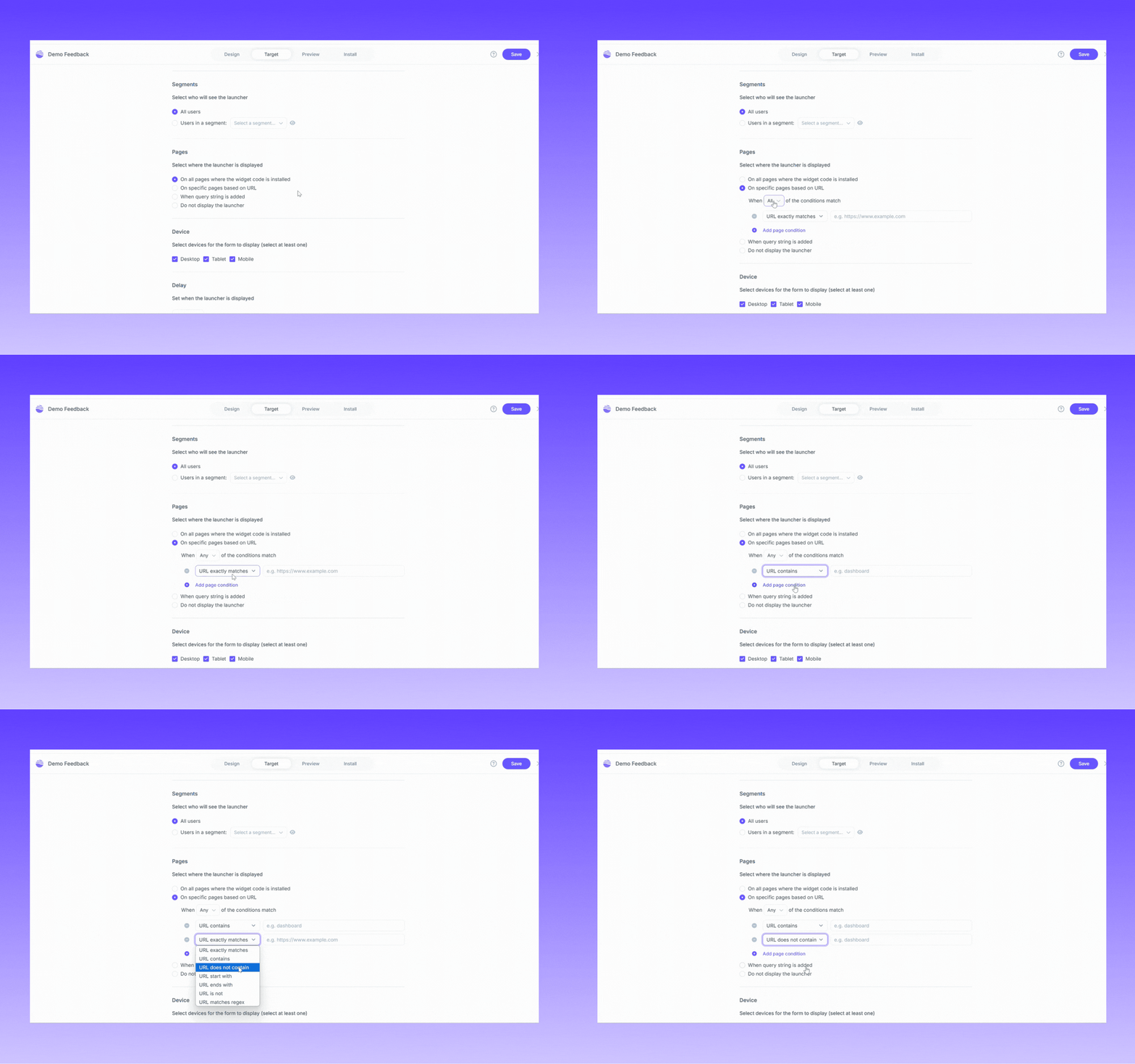
Key Benefits
- Target multiple pages: Perfect for showing widgets on specific product or feature pages.
- Exclude key pages: Avoid interrupting critical user flows by excluding pages like login, signup, or checkout.
- New “URL does not contain” trigger: Gives you even more control over where your widgets and surveys don’t appear.
- Flexible matching logic: with “match all” or “match any” conditions to fine-tune your targeting strategy
How it Works
In your widget or survey settings, you can now:
- Add up to 10 rules to include or exclude pages where widgets and surveys should appear
- Choose between “match all” (all conditions must apply) or “match any” (any condition can apply)
- Combine multiple rule types, including URL contains, does not contain, exact match, and more for pinpoint targeting
- If you need to go beyond 10 rules, you can still use the API for targeting.
Try It Today!
These improvements apply to both Survey and Feedback widgets and require no custom code to get started. Simply head to Settings > Widget or Survey > Triggers and start setting up your ideal targeting logic today!