

Added
New Feature: Capture Feedback Directly from Slack
April 22nd, 2026
Valuable feedback gets lost in Slack every day. A customer reports a bug in a channel, someone flags a great idea in a DM, and by the time it reaches the product team, the context is gone. The Userback Slack App fixes that.
Key Features
- One-click feedback from any message: Convert any Slack message into a Userback feedback item directly from the conversation, no switching tools, no copy-pasting.
- Feedback linked to the source: Any conversation can be captured in Userback and linked to the Slack user who submitted it, so you always know where it came from.
- Works across your whole team: Any channel, any DM, anyone with the Slack App installed can log feedback the moment they see it.
- Per-user installation: Each Userback user connects individually to keep permissions clean and simple.
How it Works
- Install the Userback Slack App here
- Authenticate your Userback account
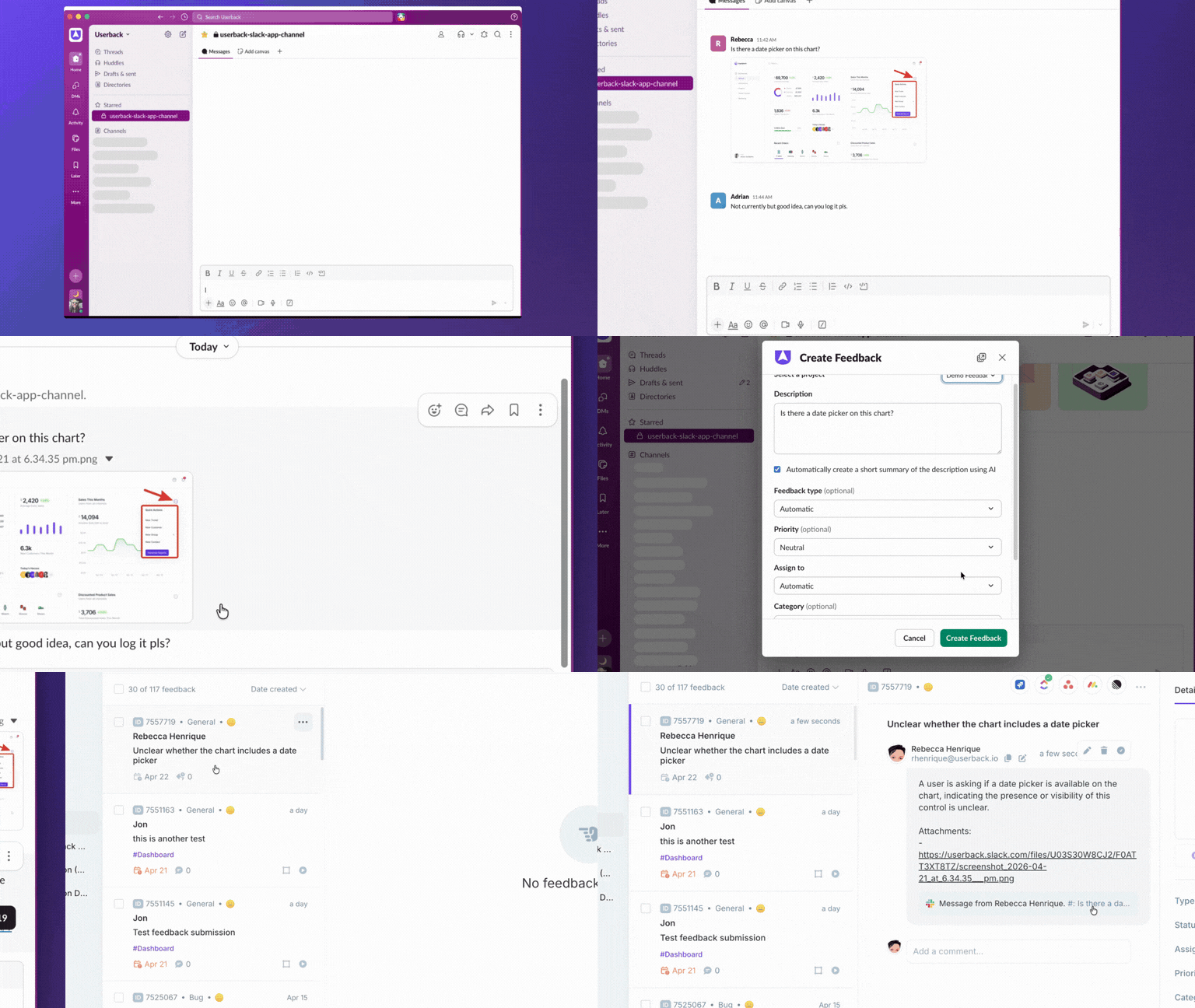
- In any Slack channel or DM, open the ellipsis menu next to a message and select Create feedback in Userback
- Pick your project, review the description, and send
The feedback appears instantly in your Userback dashboard, linked to the Slack user who submitted it.
Stop losing feedback in Slack.