

Added
New Feature: AI Context Search and Smarter Feedback Filters
May 26th, 2026
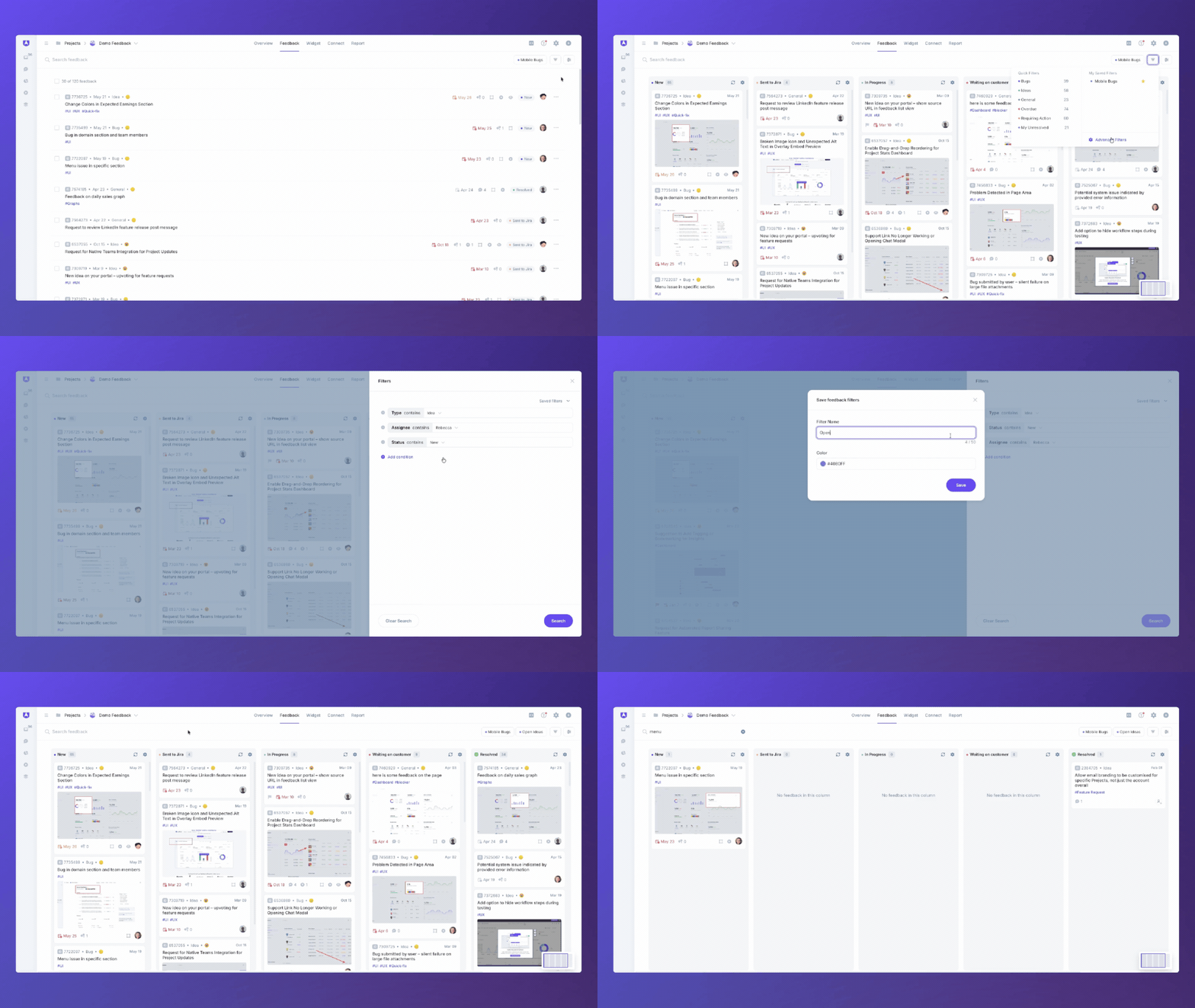
Finding the right feedback shouldn't take longer than acting on it. Whether you're triaging a backlog, following up on a specific issue, or trying to understand what still needs to be sent to your project management tool, the updated Feedback Filters make it faster to get to what matters.
Key Features
- AI Context Search: Search by intent, not just exact keywords. AI Context Search will surface related items about performance, lag, and timeouts too. It also works when searching for duplicate feedback and when submitting new feedback in the Ideas Portal. Available on the AI Assist package.
- Save Filters: Save any filter combination and come back to it in one click. Saved filters are personal to your account.
- Pin Filters: Create your own personal shortcuts by pinning your most used filters. New Filters: You can now filter feedback by Theme, Last Updated, and Sent to Integrations. That last one is handy if you're splitting work between Userback and an external tool, as it helps you quickly see what hasn't been handed off yet.
- UI Improvements: A cleaner, more organized filter panel throughout.
How It Works
- Open the Feedback page in your Userback project
- Use the filter panel to select your filters
- Save or pin any combination for quick access later
- Use AI Context Search to find feedback by concept or intent rather than exact wording (AI Assist package required)
🔍 Start finding feedback faster. Explore Feedback Filters and AI Search Today!