

6 Small Improvements with a Big Impact
Not every improvement needs to be big to make an impact. This latest round of updates focuses on thoughtful enhancements designed to improve your workflow and make Userback more efficient and intuitive.
What's new
1. User Data for Survey Responses
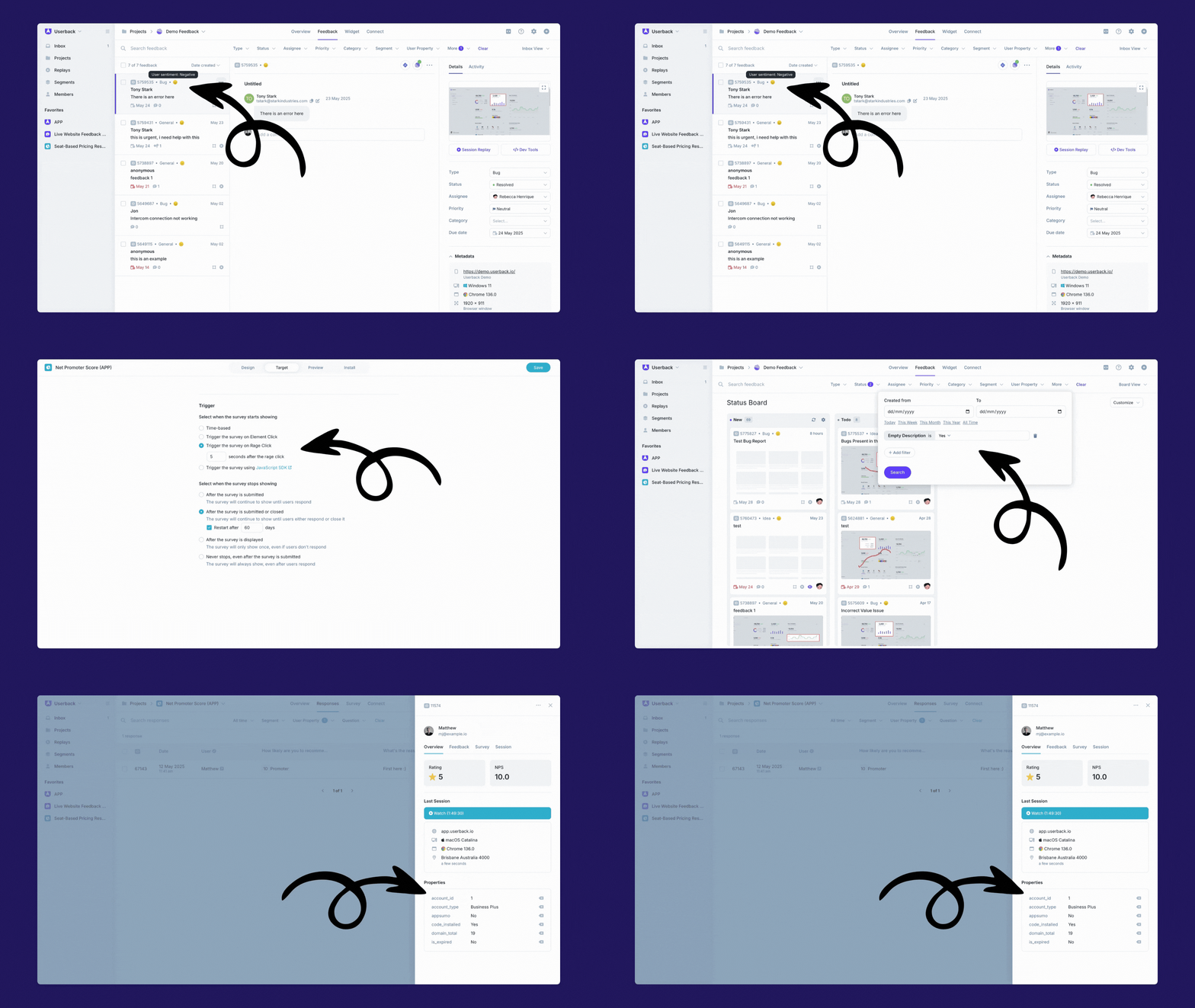
Now view user data for survey responses directly in the Inbox and Response Sidebar. This improvement helps bring more context to each piece of feedback, so you can better understand who your users are and what they’re experiencing.
Not using user data yet? Adding user data is key to understanding your customer journey, spotting patterns, and identifying how different user segments (like paid vs. free tiers) interact with and feel about your product.
📘 Learn more about User Data and Segments
2. New Feedback Filter: “Empty Description”
We’ve added a new filter to help you quickly find feedback with no description. While empty descriptions can happen for many reasons, it’s also a valuable opportunity to engage with your users and ask for more context.
Use this filter to easily locate and follow up on these submissions. Paired with a reply template, you can send a quick message asking for more context:
Want to go one step further? Enable AI Assist on your widget to help auto-fill key details and guide your users to provide more meaningful feedback from the start:
3. Add a delay to your Rage Click survey trigger
Want to trigger a survey after a user rage clicks, but give them a moment to cool off first?
You can now add a delay to your Rage Click trigger, so the survey doesn’t appear immediately. This gives your users a bit of breathing room before being asked for feedback, making it more likely they’ll respond.
4. Browser Extension updates to help you move faster
🔹 Smarter default project selection: The extension now does a better job selecting the right project by default, so you're ready to give feedback faster.
🔹 Smarter Inbox notifications: Now when you click a notification in the extension, you’ll be taken straight to your Userback Inbox to manage feedback without extra clicks.
With these latest updates, the extension is now even easier to use. Especially when you’re juggling multiple projects or managing feedback on the go.
Learn more about the Userback Browser Extension here:
📘 Extension guide – Default project
📘 Extension guide – Inbox notifications
5. Quickly gauge user sentiment with AI Assist in the Feedback Sidebar
With AI Assist enabled on your widget, you’re already capturing user sentiment alongside feedback. Now, we’ve made it even easier to understand how users are feeling at a glance.
You’ll now see sentiment insights directly in the Feedback Sidebar, helping you quickly assess the tone behind each piece of feedback without needing to dig deeper.
6. Security First: Full CSP Implementation Complete
As part of our ongoing commitment to platform security, we’ve now fully implemented Content Security Policy (CSP). This provides a proactive safeguard against code injection attacks and helps ensure the integrity of your data.
It’s just one of the ways we’re strengthening protection behind the scenes, so you don’t have to worry.
These may be small tweaks, but they’re all about making your workflow that little bit easier. They are live now, go see what's new!